
Emergency Contact Cards for Individuals & Families
Prepare your own emergency profile or manage separate family profiles through one account.
 For Individuals

 For Families
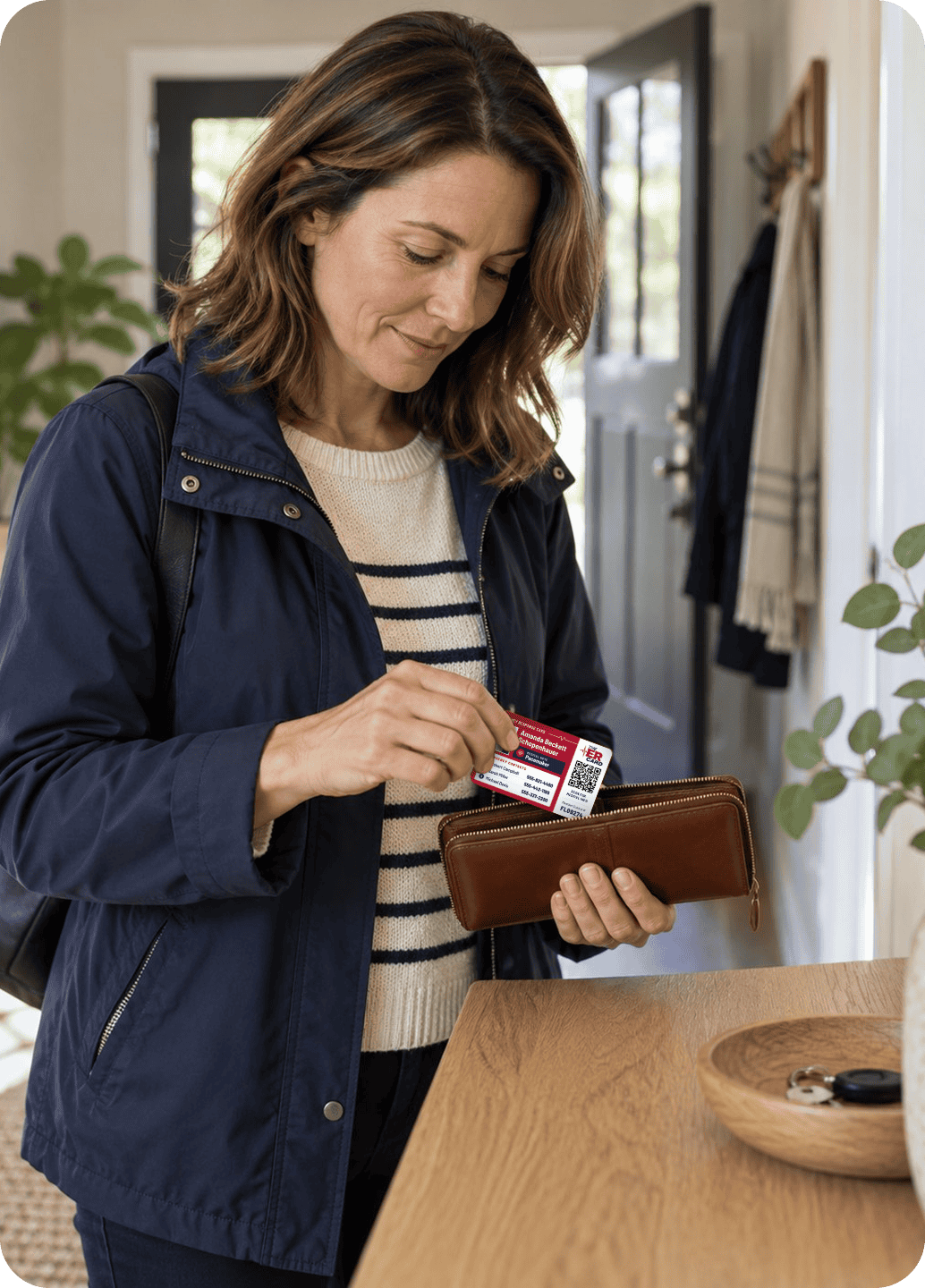
The ER Card connects a physical card you carry to a digital emergency profile. If you cannot communicate during an emergency, a responder from a participating agency can scan your card, complete station verification, and view your identity, emergency contacts, and the emergency information you choose to share.
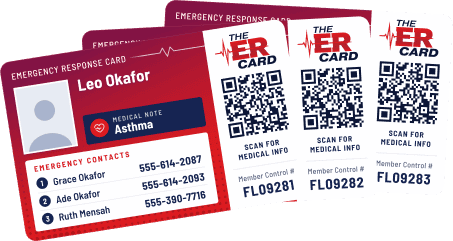
Each person has their own card, member number, and QR code connected to their individual information. Family accounts bring those separate profiles together for account management.

Your Emergency Contacts and Information, Connected to One Card
You may be on your own while commuting, exercising, traveling, or running an errand, even if you do not live alone.The ER Card gives participating responders a way to find information you prepared ahead of time if an emergency leaves you unable to answer questions.

Help responders establish your identity
Your profile brings your name, photo, and member number together. These details give a verified responder a starting point for identifying the person they are assisting.

Choose whom you want a responder to call
List up to three emergency contacts, such as a partner, relative, trusted friend, or caregiver. Someone who knows you may be able to explain relevant circumstances or help reach other loved ones when you are away from home.

Share emergency details you want responders to know
Choose whether to include allergies, medications, medical conditions, or special emergency notes. Your profile gives a verified responder a place to review those details when someone who knows your needs is not there to explain them.
Separate Family Emergency Profiles, Managed Through One Account
People in the same family can have different emergency contacts, allergies, medications, and communication needs. Preparing their information separately helps a responder find the details connected to the person they are assisting.
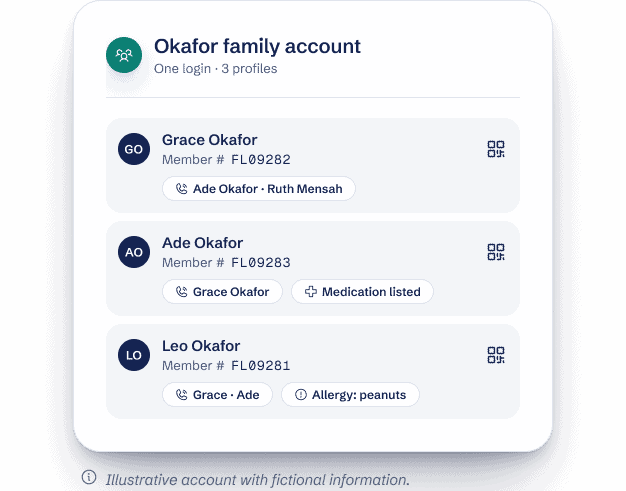
A family account lets you manage multiple individual emergency profiles through one login, keeping those profiles organized together while maintaining separate information for each person.
One account to manage multiple profiles
Use the family account to keep the profiles you manage organized together. Each profile retains that person’s own emergency contacts and selected emergency details.

A separate card and emergency profile for each person
Each family member has their own physical card, member number, and QR code. Their card connects to their individual emergency profile, so the responder can review that person’s information rather than a shared household record.

Contacts and details that reflect each person’s needs
A child’s profile may include an allergy and a parent’s contact information. Another family member may list a partner or caregiver and choose to include medications or a medical condition. For blended families or shared-custody arrangements, keeping each person’s designated contacts current can be especially useful.

Keep family information current as circumstances change
Review the profiles you manage when contact numbers, medications, or other emergency details change. Updating the digital information helps keep the profile connected to each card useful over time.
What You Can Include in Your Emergency Profile
The ER Card keeps selected information available in one place for a verified responder. You provide the information and decide which voluntary emergency details to include.

Your identity
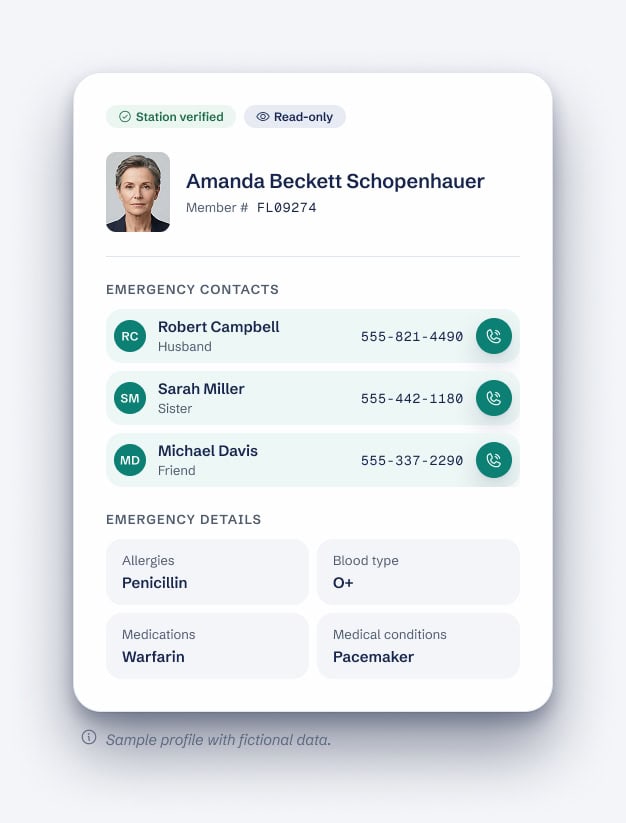
Your name, photo, and member number help responders identify whose profile they are viewing.

Up to three emergency contacts
Include contact names, phone numbers, and relationships. A verified responder can use those details to call someone you have designated.

Voluntary emergency details
You can choose to include blood type, allergies, medications, medical conditions, and special emergency notes. These details may help explain needs or circumstances you would otherwise have to communicate yourself.
Find the Membership That Fits You or Your Family
Whether you need one emergency profile or separate profiles for family members, start by reviewing the membership options. See who can be included and what each option provides before you enroll.
How Your Card Connects Responders to Your Information

01 · Prepare
Prepare your profile
Join The ER Card and add your identity, emergency contacts, and any voluntary emergency details. For a family account, prepare a separate profile for each person included in the membership.

02 · Carry
Carry your physical card
Keep your card with you so a responder can find the member number and QR code connected to your profile.

03 · Scan and verify
A responder scans and verifies
When your card is found during an emergency, a responder from a participating agency can scan the QR code and complete station verification. Scanning alone does not open your emergency profile.


04 · View and call
The responder reviews and can call
After verification, the responder can view your information and tap an emergency contact’s number to place a call. Responder access is read-only and logged.
What Members Say About The ER Card
Questions About The ER Card for Individuals & Families
You do not have to be married to enroll with a partner. Review Membership for the available options, who each option includes, and any age or household-size requirements. If you are unsure which option fits your household, contact The ER Card before enrolling.
Prepare Your Emergency Information Before It Is Needed
Choose the people you would want a responder to call and organize the information you want to share. Whether you are preparing for yourself or managing profiles for your family, The ER Card connects that information to a card each person can carry.
 Already a member? Keep your emergency contacts and profile information current. View Membership