
How The ER Card works.
You prepare the information. Participating responders have a way to find it.
The ER Card is an emergency information service that connects a physical member card, called the Red Card, to your digital emergency profile. After station verification, participating first responders can view your identity, emergency contacts, and the emergency information you choose to share when you may be unable to communicate.
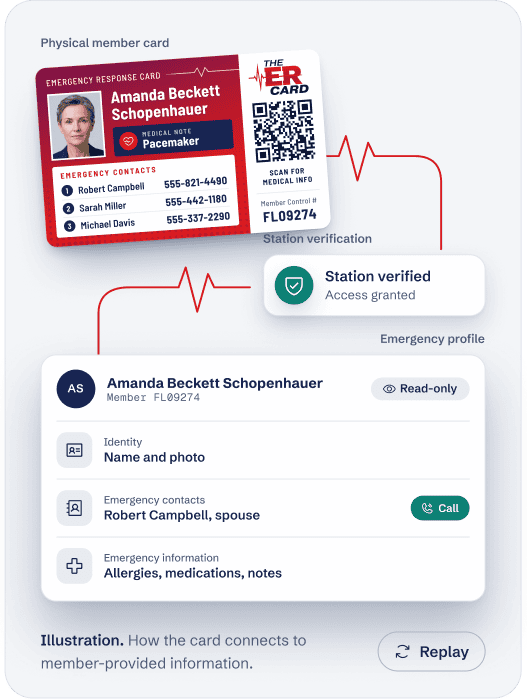
For responders: from the card to a contact.
When someone cannot answer your questions, their Red Card gives a participating responder a place to start. Follow the steps below to see the process.
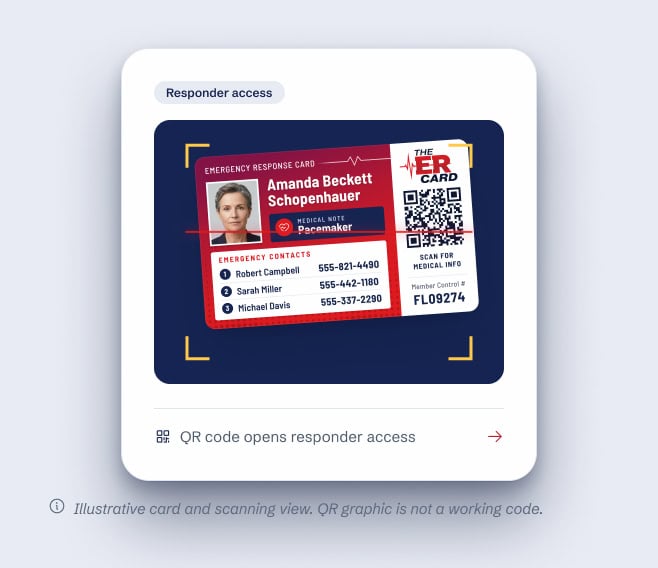

01 · Scan
Find and scan the card
Scan the QR code on the member’s Red Card to open responder access.
The card is the starting point. Scanning alone does not reveal the emergency profile.
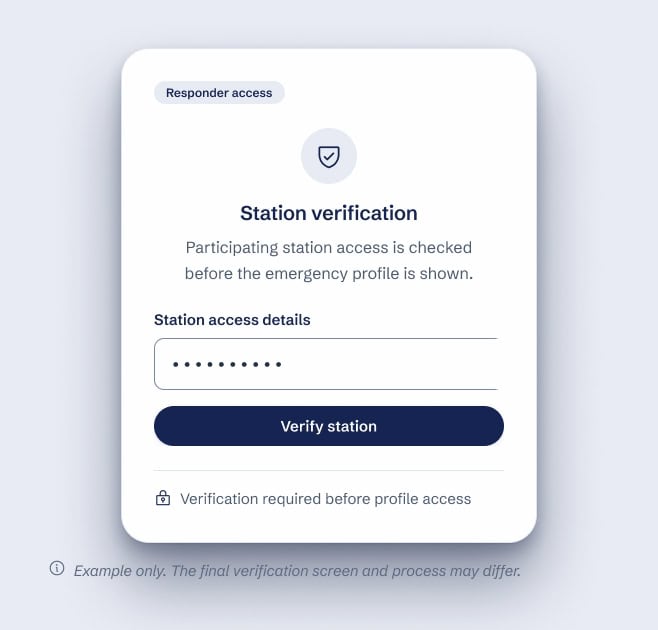

02 · Verify
Complete station verification
Use your participating agency’s access details to complete station verification before viewing the member’s profile.
Agency participation is required. Verification comes before access to the member’s information.
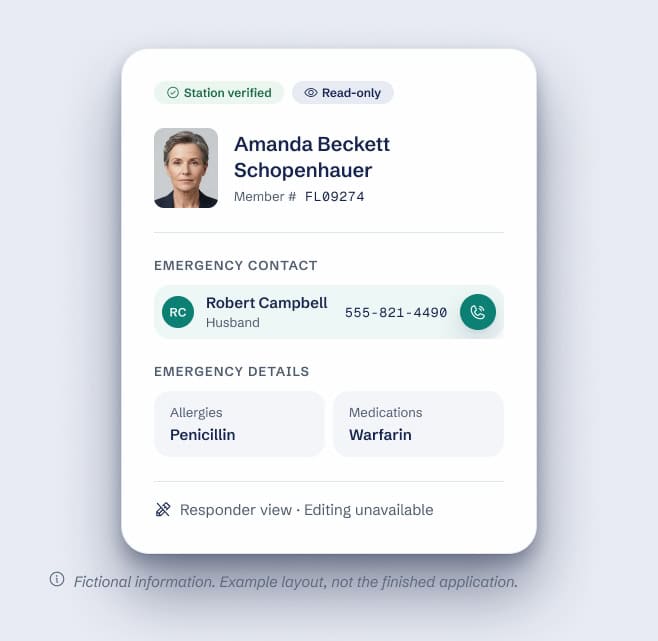

03 · View
Review the member’s information
Check identity, emergency contacts, and the emergency details the member has provided.
Responder access is read-only and logged. Members supply and maintain their own information.
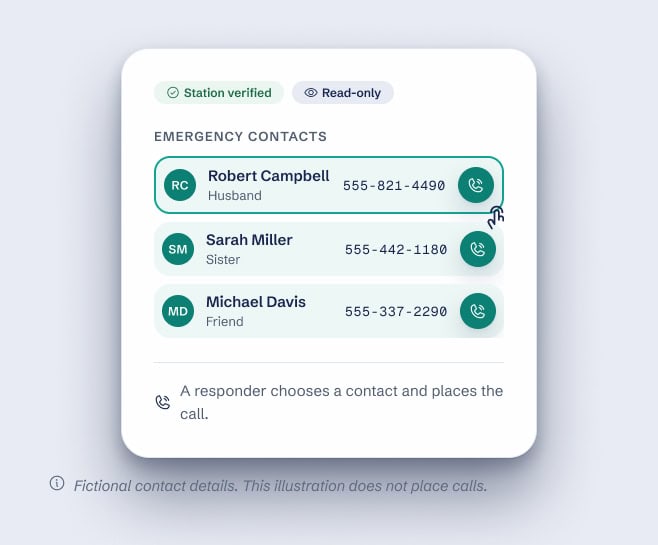

04 · Contact
Reach an emergency contact
Tap a listed number to place a call to someone the member has designated.
The responder initiates the call. Carrying or scanning the card does not automatically notify anyone.

QR code won’t scan? Use the member number.
Enter the number printed on the card through Responder Access, then complete station verification to view the same profile.
What information can first responders see?
The profile brings identity and emergency contacts together with selected details supplied by the member.
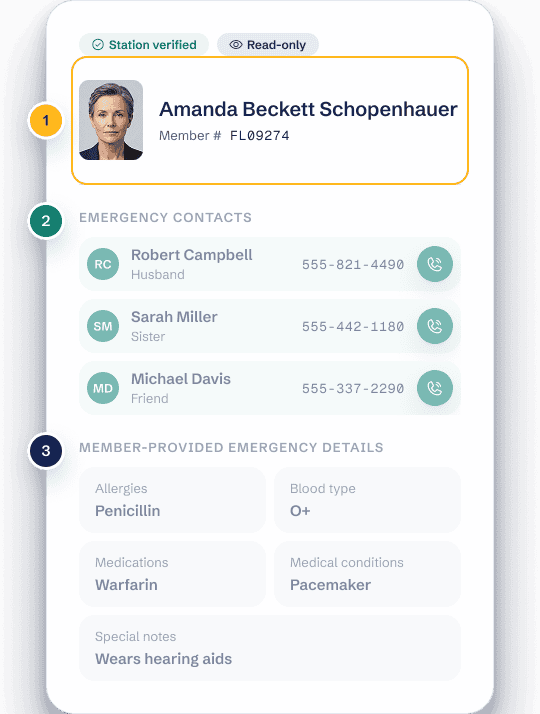
1
Help establish identity
A name, photo, and member number give responders information to check against the person they are assisting.
2
Find whom to call
Up to three emergency contacts, with names, relationships, and phone numbers. A contact may help confirm identity or reach family.
3
Review emergency details
Allergies, medications, blood type, optional medical conditions, and special notes may be included where the member provides them.

Prepared by the member.
Members supply and maintain this information. It is not a complete or medically verified record.
For individuals and families: prepare before it’s needed.
Set up your information, carry your Red Card, and keep your profile current as life changes.


01
Join The ER Card
Explore membership options for yourself or your family, then create your member account.
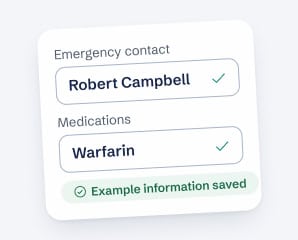
02
Prepare your profile
Add your identity, photo, and up to three emergency contacts. Include the emergency details you choose to share.
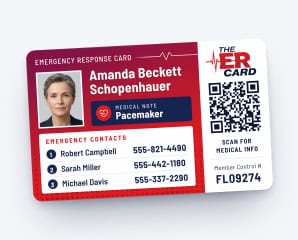
03
Receive and carry your card
Your physical card carries your member number and a QR code connected to your individual emergency profile.
04
Keep your details current
Return to your member account when contact numbers, medications, or other information changes.

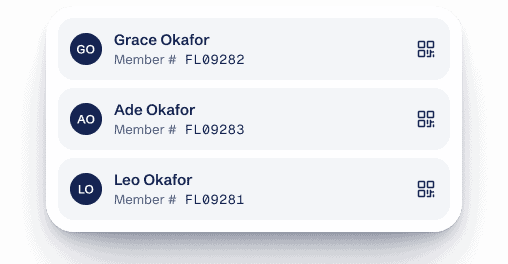
One family account. A profile for each person.
Manage multiple individual profiles together. Each person has their own emergency information, member number, and QR code.
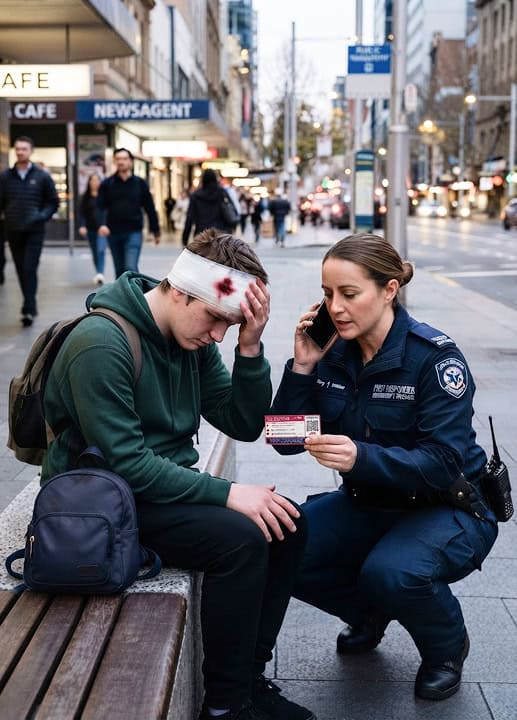
From a card in your wallet to information a responder can use.
Members prepare their information ahead of time. Verified responders can access it when The ER Card is found during an emergency.

01
Alex carries the card
Information prepared in advance.
02
The responder verifies access
Participating station required.
03
The responder calls Jamie
A person Alex chose as a contact.
A few things to know.
Clear expectations are part of being prepared.
No. Scanning alone does not reveal your emergency profile. Responders must complete station verification before viewing it.
Make the connection before it’s needed.
Help your team recognize the Red Card and understand how to use it.
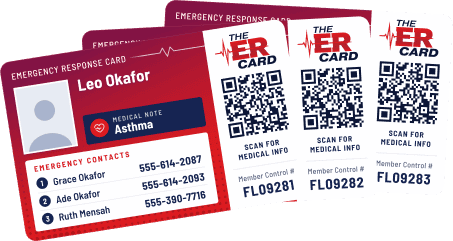
 Explore membership and prepare the information you want responders to find. View Membership